

X Caliber Technology
值得信赖的X Caliber
2023 CES创新奖
人类科技奖2023
韩国数字未来创新大展2023



常见问题
A. If you experience any service errors, issues, or have suggestions for improvement while using the X Caliber service, please contact us via Customer Support > Contact Us.
A. After logging into the X Caliber website, users can check the usage history by navigating to [My Page > Usage History].
Both the overall product usage history and detailed usage records are available for review.
Both the overall product usage history and detailed usage records are available for review.
A. X-Caliber supports the latest versions of Chrome, Firefox, and Microsoft Edge.
A. Payments are made on a monthly basis from the service application date. For billing dates falling at the end of February or the 31st of a month, the payment will be processed on the last day of the following month.
A. To ensure smooth recurring payments, at least one valid credit card must be registered. Instead of deleting, you can only replace it with another card.
If card information is deleted or becomes invalid, recurring payments may fail, leading to unexpected service interruptions. This measure is in place to prevent such issues.
If card information is deleted or becomes invalid, recurring payments may fail, leading to unexpected service interruptions. This measure is in place to prevent such issues.
A. If you have entered your username incorrectly, such as a typo, please send the following documents to the ""Contact Us"" section for verification:
[Required Documents]
Identification Card (with the back side masked)
[Required Documents]
Identification Card (with the back side masked)
A. You can find your ID based on the following cases:
Case 1. If you can still access the phone number registered during sign-up
You can find your ID through the [Find ID] feature on the login page by verifying your phone number.
Case 2. If you lost or replaced the phone number registered during sign-up
To verify your account, please provide the changes via Customer Support > Contact Us, and request the ID recovery.
You will need to register the change details in the Contact Us section to request the ID recovery.
Upon receipt of your request, we will verify your information and email, and review the changes.
Once the change is completed, we will respond to the email you registered during your inquiry.
Case 3. If there are other errors or issues
Please contact us via Contact Us.
Case 1. If you can still access the phone number registered during sign-up
You can find your ID through the [Find ID] feature on the login page by verifying your phone number.
Case 2. If you lost or replaced the phone number registered during sign-up
To verify your account, please provide the changes via Customer Support > Contact Us, and request the ID recovery.
You will need to register the change details in the Contact Us section to request the ID recovery.
Upon receipt of your request, we will verify your information and email, and review the changes.
Once the change is completed, we will respond to the email you registered during your inquiry.
Case 3. If there are other errors or issues
Please contact us via Contact Us.
A. You can change your password by logging into the X Caliber website and clicking [My Page > Change Password].
1. On the password change page, enter your current password.
2. In the password change section, enter your new password, then log in again to access your account with the updated password.
1. On the password change page, enter your current password.
2. In the password change section, enter your new password, then log in again to access your account with the updated password.
A. On the X Caliber website, click on My Page, then go to My Page where you can update your membership information.
Check your login and account details, click on the membership information (phone number, payment information) that needs to be updated, make the changes, and click Save to apply the updated information.
Check your login and account details, click on the membership information (phone number, payment information) that needs to be updated, make the changes, and click Save to apply the updated information.
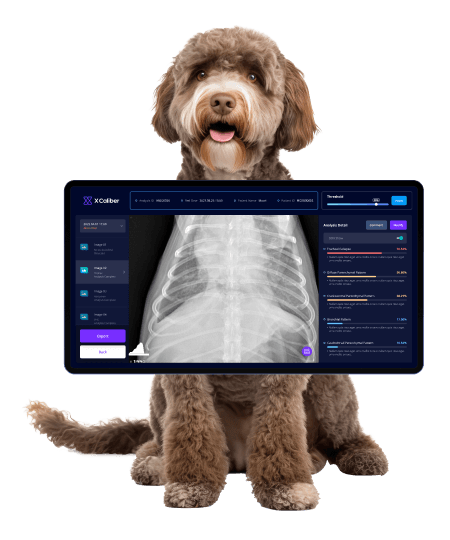
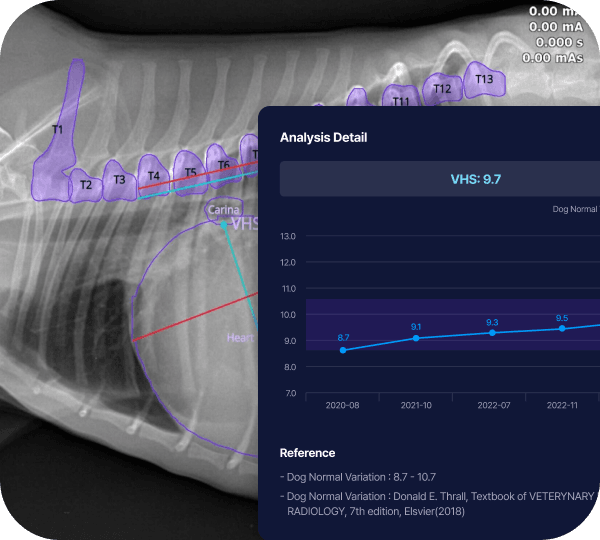
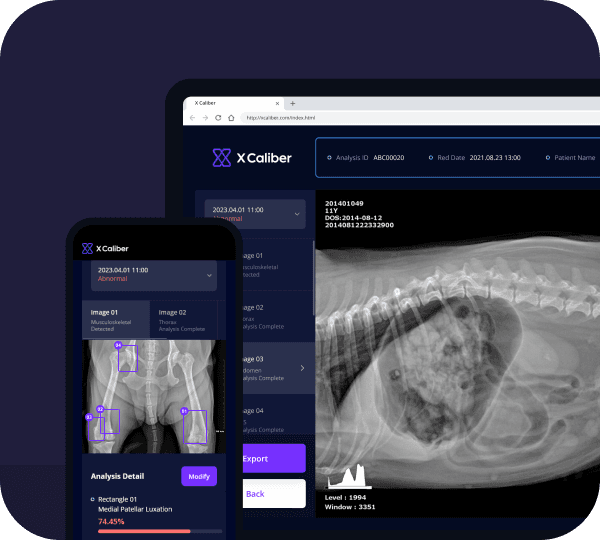
A. X Caliber PACS is a cloud-based web PACS. Since it is already integrated with AI services, users can receive AI analysis reports with just one click, without manually uploading DICOM files for analysis.